
Law Firm Pipeline Forecasting: How to Predict Next Quarter’s Signed Cases

Law Firm Pipeline Forecasting: How to Predict Next Quarter’s Signed Cases

A managing partner at a six-attorney litigation firm signs eleven cases in March and three in April. Nothing changed in the marketing, so she cannot explain why — and she cannot say whether May will look like March or April. Without a law firm pipeline forecasting model, every hiring and ad-spend decision is a guess.

Most firms track what already happened: last month’s signed cases, last quarter’s revenue. Far fewer can answer the question that actually drives growth decisions — how many signed cases will we have 90 days from now, and what do we need to change to hit our target? A law firm pipeline forecasting model answers it, and you can build a workable one in an afternoon with data you already have.


Why Law Firm Pipeline Forecasting Beats Rear-View Reporting

Case-based practices have a built-in delay. A personal injury matter or an immigration filing may take weeks to move from first contact to signed retainer, and months more to generate revenue. By the time a dip shows up in your financials, the cause is already 60 to 90 days old.

Forecasting moves your attention upstream. Instead of watching revenue, you watch the stages that produce revenue, and you act while there is still time to change the outcome.

The core idea: signed cases are the product of four rates, not one. Inquiry volume, contact rate, consultation rate and signing rate each have an owner and each can be improved independently.

Building the Four-Rate Pipeline Model

Pull the last 90 to 180 days from your CRM or intake spreadsheet and calculate each stage by practice area. Do not blend practice areas together; a bankruptcy matter and a catastrophic injury case behave nothing alike.

The four numbers to capture

Stage What to Measure Typical Benchmark
Inquiries Qualified prospects entering intake per week Varies by market and budget
Contact rate Inquiries reached by a live person 60–80% with fast follow-up
Consultation rate Contacted prospects who attend a consult 40–60%
Signing rate Consults that become signed retainers 30–50%, higher in consumer practice areas

Benchmarks vary widely by practice area, so treat the figures above as starting points and replace them with your own history as soon as you have it.

Multiply them through. If you receive 40 qualified inquiries a month, reach 70% of them, book 50% of those and sign 40% of consults, your expected output is 40 × 0.70 × 0.50 × 0.40 = 5.6 signed cases a month. That is your baseline forecast.

Key Insight

Improving one rate by 10 percent improves the output by 10 percent — whichever rate it is. Raising contact rate from 70 to 77 percent costs far less than buying 10 percent more inquiries, which is why mature firms fix the back of the funnel before they scale the front.

Using Your Pipeline Forecast to Set a Client Acquisition Budget

Once the model works, run it backwards. Suppose your fee model needs 12 signed cases a month to cover payroll and growth. Divide by your signing, consultation and contact rates and you get the inquiry volume required: 12 ÷ (0.40 × 0.50 × 0.70) ≈ 86 qualified inquiries a month. Compare that to your current 40 and the gap is concrete.

That gap can be closed in two ways — more inquiries, or better conversion — and the model tells you which is cheaper. A firm with a 55 percent contact rate should almost always fix response time first. A firm already converting well should invest in additional volume from exclusive, practice-filtered sources.

Forecasting with a time lag

Add the lag between stages. If inquiries take an average of nine days to reach a signed retainer, this week’s inquiries are really next month’s cases. Firms that ignore the lag consistently overreact to short-term dips.

A Monthly Pipeline Review That Takes Thirty Minutes

Hold the same short meeting every month. Review each rate against the prior three-month average, flag any stage that moved more than 15 percent, and assign one owner and one action to each flagged stage. Then re-run the forecast for the next 90 days.

Two cautions. First, forecast per practice area and per source; a blended number hides the channel that is quietly failing. Second, review cohorts by inquiry date, not signing date, so late-closing cases are credited to the effort that produced them.

Pipeline Forecasting Summary

  1. Track four rates — inquiries, contact, consultation and signing, by practice area.
  2. Multiply forward to predict signed cases for the next 90 days.
  3. Divide backward from your case target to find the inquiry volume you need.
  4. Fix the cheapest rate first before expanding client acquisition spend.
  5. Review monthly and account for the lag between inquiry and retainer.

Ready to Fill the Gap in Your Pipeline?

Once your forecast shows how many qualified inquiries you need, TheLawyerLeads.com helps you add exclusive, practice-filtered volume your intake team can convert.

Browse Practice Areas

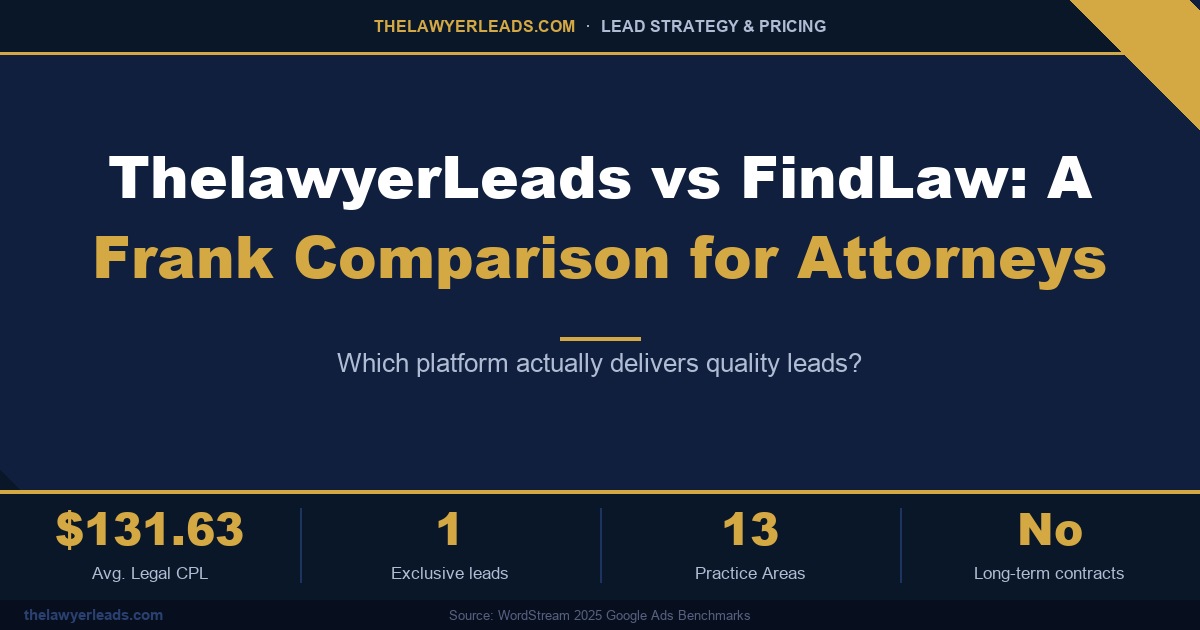
ThelawyerLeads vs FindLaw: A Frank Comparison for Attorneys

ThelawyerLeads vs FindLaw: A Frank Comparison for Attorneys

Choosing between ThelawyerLeads and FindLaw comes down to one question: which platform puts a qualified, local prospect in front of your intake team at a price that makes sense? This frank comparison looks at lead quality, targeting, pricing, and contract terms so you can decide with the facts in front of you.

Two Different Models for Getting Clients

FindLaw is one of the best-known names in legal online visibility. It has long served as a consumer legal resource and a directory where people look for attorneys, and its attorney marketing products are built around that presence. ThelawyerLeads works differently. We sell pay-per-lead prospects, broken down by state, county, and ZIP code, that attorneys buy directly.

Neither model is wrong, but they serve different firms. If you want brand visibility across a broad audience, a directory may be the right fit. If you want to buy specific prospects in the areas you actually serve, a lead platform is usually the better tool. The rest of this comparison focuses on that second use case.


Lead Exclusivity: Who Else Is Calling the Same Person?

The most important question to ask any lead vendor is whether a prospect is sold to one firm or several. A shared lead means you are racing other attorneys for the same caller, and speed to contact often decides who gets the case. Exclusive leads remove that race. ThelawyerLeads sells exclusive leads, so one attorney receives each prospect.

Targeting: County and ZIP Code Precision

Geography is where many firms lose money. A lead from outside your service area costs the same as one you can take, but it is worth nothing to your intake team. Our leads can be filtered at the county and ZIP-code level, so you pay for prospects within the area you serve rather than an entire metro region.

We also cover all 50 states, with state-specific pricing and 13 practice areas, so the lead type can match your caseload rather than forcing you into a generic category.

How the Two Platforms Compare

Factor ThelawyerLeads FindLaw
Lead exclusivity Exclusive: one attorney per lead Confirm per product before buying
Geographic targeting County and ZIP-code level Confirm granularity for your area
Pricing State-specific and transparent Quoted by product; confirm before buying
Contract length No long-term contracts Check term and cancellation rules
Practice areas 13 practice areas Confirm coverage for your niche

We have deliberately not listed FindLaw’s specific prices or terms, since these change by product. Ask for current written terms before you compare.


Pricing: Cost per Lead Is Not Cost per Case

According to WordStream’s 2025 Google Ads Benchmarks, the average legal cost per lead is $131.63. That number is useful as a baseline, but it does not tell you what you pay for each signed client. What matters is the price of a lead multiplied by how often it converts.

Illustration only: a $131.63 lead that signs 1 in 10 times costs about $1,316 per signed case. A $160 lead that signs 1 in 4 times costs about $640. The cheaper lead is not always the better buy.

That is why exclusivity and local targeting matter as much as sticker price. A well-targeted, exclusive lead in your own county will usually outperform a cheaper lead that is shared, broad, or outside your service area.

Contracts and Flexibility

Many firms are cautious about lead vendors that lock them in for a year or more. ThelawyerLeads has no long-term contracts. You can buy the leads you need, pause when your calendar is full, and scale up in a state or practice area that is performing well. Whichever platform you choose, read the cancellation terms before you sign.

▶ Key Insight

Run a small pilot before committing. Buy a handful of leads in one state and one practice area, track how fast your team makes contact and how many cases sign, then scale what works.

Which Platform Fits Your Firm?

  • You want broad brand visibility and a directory presence: a directory platform such as FindLaw may suit you.
  • You want exclusive prospects in specific counties or ZIP codes: ThelawyerLeads is built for that.
  • You want transparent, state-specific pricing with no long-term commitment: compare our current rates directly.

ThelawyerLeads vs FindLaw — Summary

  1. Model — FindLaw is a directory and visibility platform; ThelawyerLeads sells pay-per-lead prospects.
  2. Exclusivity — ask whether a lead is shared; ours are exclusive to one attorney.
  3. Targeting — county and ZIP-code filtering keeps your spend inside your service area.
  4. Pricing — compare cost per signed case, not just cost per lead.
  5. Contracts — ours have no long-term commitment; always check the terms of any vendor.

See Lead Pricing for Your State

We offer transparent, state-specific lead pricing across all major practice areas — with no contracts, no recycled contacts, and full exclusivity options.

View Lead Pricing →

Cost Per Signed Case for Law Firms: The Metric That Replaces Cost Per Inquiry

Cost Per Signed Case for Law Firms: The Metric That Replaces Cost Per Inquiry

A managing partner reviews the quarterly marketing report and smiles: 400 inquiries at $85 each. Then the controller shows the other column. Eleven signed cases. The real number was never $85. It was $3,090, and nobody had been tracking it.

Most firms still judge marketing by what is easy to count: clicks, calls, form fills, cost per inquiry. Those numbers describe activity, not growth. The metric that connects spend to revenue is your cost per signed case, and once you measure it channel by channel, budget decisions get much simpler.

This guide explains how to calculate cost per signed case, what moves it, and how to use it to steer client acquisition spend with confidence.


What Cost Per Signed Case Actually Measures

Cost per signed case is total acquisition spend for a channel divided by the number of retained clients that channel produced. Spend includes media, platform fees, agency fees, and the staff time your intake team invests. Signed means a fully executed engagement agreement, not a promising consultation.

The formula is simple, but the discipline is in the denominator. A channel with a cheap inquiry price and a poor close rate can cost two or three times more per signed client than a pricier channel that sends better-qualified prospects. Cost per inquiry rewards volume. Cost per signed case rewards quality.

Metric (illustrative) Inquiry-Based Thinking Signed-Case Thinking
Monthly spend $10,000 $10,000
Inquiries received 120 120
Cost per inquiry $83 $83 (tracked, not trusted)
Signed cases 6 6
Cost per signed case Unknown $1,667
Decision it supports Buy more volume Fix the weakest stage first

Two firms can spend the same amount and report the same inquiry volume, yet one grows twice as fast. The difference almost always sits between the first contact and the signed agreement.


How to Calculate Cost Per Signed Case by Channel

Start with a source field on every intake record. Whether the prospect came from Google Ads, the Map Pack, a referral partner, or an exclusive inquiry program, that label must follow the matter from first call to signed agreement. Without it, every number downstream is a guess.

Then work through four steps each month:

  1. Total the fully loaded spend for each channel, including fees and intake labor.
  2. Count inquiries, qualified consultations, and signed cases for that same period.
  3. Divide spend by signed cases for your cost per signed case.
  4. Compare against case value, using average fee or expected settlement share for your practice area.

For contingency practices, remember the lag. A personal injury case signed in March may not pay out until next year, so judge channels on a rolling six-month view and pair cost per signed case with expected fee per matter.

Key Insight

A cost per signed case of $2,500 is excellent on a matter worth $20,000 in fees and unsustainable on one worth $3,000. Always read the metric against case value, not in isolation.


Four Levers That Lower Your Cost Per Signed Case

Once the number is visible, improvement comes from four places, and they are rarely about spending more.

1. Prospect quality

Geography, practice area, and case criteria filtering at the source remove inquiries your team could never sign. Fewer wasted consultations means your best attorneys spend time only on viable matters.

2. Speed to contact

Prospects usually contact several firms. Responding within minutes, by phone first and text second, routinely lifts conversion without adding a dollar of media spend.

3. Intake consistency

A scripted, trained intake process with defined follow-up cadences prevents warm prospects from going cold. Track conversion by intake specialist to find coaching opportunities.

4. Channel mix

Shift budget gradually toward channels with the lowest cost per signed case relative to case value, and cap anything trending the wrong way. Treat every reallocation as a test with a defined review date.

A common mistake: cutting a channel because its cost per signed case looks high after only a few weeks. Small samples swing wildly. A channel that produced two signed cases from $3,000 looks expensive until the next month brings five. Set a minimum sample, such as ten qualified consultations, before drawing conclusions.

The opposite error is just as costly: protecting a channel because it feels familiar. Referral relationships and legacy directory listings deserve the same scrutiny as paid media, and the numbers will tell you honestly which ones earn their place.


Building a Cost Per Signed Case Dashboard

You do not need expensive software. A shared spreadsheet fed by your case management system works, provided it is updated weekly and reviewed by someone with authority to move budget. Include source, inquiries, consultations, signed cases, spend, and cost per signed case for each channel, with a trailing three-month trend.

Review it in a monthly growth meeting with one rule: every channel either earns more budget, holds steady, or gets a fix-it plan with a deadline. That rhythm turns marketing from an expense line into a managed pipeline, which is how a legal growth partner thinks about client acquisition.

Summary: Cost Per Signed Case Checklist

  1. Track the source — tag every inquiry through to signature.
  2. Calculate monthly — fully loaded spend divided by signed cases.
  3. Compare to case value — a good number depends on fee potential.
  4. Pull the four levers — quality, speed, intake consistency, channel mix.
  5. Review on a schedule — reallocate budget in a monthly growth meeting.

Build a Pipeline You Can Measure

Exclusive, filtered client inquiries matched to your practice area and territory, so every dollar is easier to trace to a signed case.

Browse Practice Areas

Law Firm Intake Process: Why the First Five Minutes Decide Who Signs the Case

Law Firm Intake Process: Why the First Five Minutes Decide Who Signs the Case

A managing partner reviews the month and sees 60 inquiries, 9 signed cases, and a marketing bill that keeps climbing. Nothing is wrong with the ads. The problem is the law firm intake process: the average inquiry sat for four hours before anyone called back.

Most firms treat intake as an administrative function and marketing as the growth lever. In reality, your law firm intake process is where marketing spend either becomes revenue or evaporates. A prospect who has just experienced a legal problem is contacting several firms at once, and the first one to respond with competence and empathy usually earns the consultation.

This guide breaks down the response-time benchmarks, the intake workflow, and the metrics that growing firms use to build a dependable client pipeline without increasing ad spend.


Why Speed Defines the Law Firm Intake Process

Prospective clients rarely wait. Industry studies of inbound inquiries across service businesses consistently show that contact rates fall sharply after the first few minutes, and that firms responding within five minutes are far more likely to connect with the prospect at all. Legal matters are emotional and urgent, which makes the effect stronger: someone injured in a collision or facing a deportation notice is not going to sit patiently by the phone.

The practical consequence is that speed-to-contact is a pipeline variable you can control. You cannot change how many people search for a lawyer on a given day, but you can change what percentage of them you reach first.

Rule of thumb: if your average first-response time is measured in hours, a meaningful share of your marketing budget is paying for inquiries that another firm will sign.

Building an Intake Process for Law Firms That Responds in Minutes

Fast response is a design problem, not a staffing heroics problem. Firms that consistently reach prospects within minutes tend to build the same four components.

1. Instant routing and alerts

Every web form, call, and chat should trigger an immediate alert to a named person, by text and by CRM task, with a backup person if there is no acknowledgment within two minutes. Ownership matters: an alert that goes to a shared inbox is an alert nobody owns.

2. A short, scripted first call

The first call has one job: establish rapport, confirm the basics of the matter, and book the consultation. Give intake staff a one-page script with the three or four qualifying questions that matter for your practice area, and let attorneys handle legal analysis. Long, unstructured calls slow down the queue behind them.

3. A structured follow-up cadence

Not every prospect answers the first time. A disciplined sequence, typically a call, a text, and an email within the first hour, followed by additional attempts over several days, recovers a significant number of prospects that a single missed call would have lost.

4. After-hours coverage

A large share of inquiries arrive evenings and weekends. Whether you use a live answering service, a trained overnight intake partner, or automated text-back that books a callback slot, an unanswered after-hours inquiry should never be the default.


Measuring Your Law Firm Intake Process: The Metrics That Matter

You cannot improve what you do not track. Most firms measure leads received and cases signed, and miss the middle of the funnel where the leakage happens. The table below compares what a reactive intake operation typically looks like against a managed, measured one.

Metric Reactive Intake Managed Intake
First response time Hours, or next business day Under 5 minutes
Contact attempts per inquiry 1 call 5 to 8 across multiple channels
After-hours handling Voicemail Live answer or instant text-back
Consultation booking rate Unmeasured Tracked weekly by source
Cost per signed case Unknown Calculated by channel and practice area

Start with four numbers: speed-to-first-contact, contact rate, consultation-booked rate, and signed rate. Review them weekly, broken out by source and by intake team member. Patterns emerge quickly, such as one channel with excellent volume but a poor contact rate, or one intake employee whose conversion is double the average.

Key Insight

Improving conversion by even a few points often delivers a better return than raising your marketing budget by 20 percent, because you are fixing a leak instead of pouring in more water.

Improving Your Law Firm Intake Process With Better Inputs

Speed and scripting only go so far if the inquiries themselves are poorly matched to your practice. When prospects are already filtered by practice area, geography, and case type, intake staff spend their time on conversations that can become signed matters, and call quality improves along with morale.

That is why growing firms pair a tight intake workflow with a deliberate approach to client acquisition: exclusive, real-time inquiries delivered to one firm, matched to the cases the firm actually wants. A fast process applied to well-matched inquiries compounds; a fast process applied to mismatched ones simply produces fast disappointment.


Intake Optimization Summary

  1. Treat speed as a growth lever — target first contact in under five minutes.
  2. Assign ownership — every inquiry alerts a named person with a backup.
  3. Script the first call — qualify and book; leave legal analysis to attorneys.
  4. Follow up in a cadence — multiple attempts across call, text, and email.
  5. Cover after-hours — no inquiry should default to voicemail.
  6. Measure weekly — track contact, booking, and signed rates by source.

Give Your Intake Team Better Opportunities

TheLawyerLeads.com is your legal growth partner, delivering exclusive, real-time client inquiries filtered to your practice area and market.

Browse Practice Areas

Law Firm Practice Area Pages SEO: How to Build Pages That Rank and Convert

Law Firm Practice Area Pages SEO: How to Build Pages That Rank and Convert

A three-partner firm in Phoenix spent eighteen months publishing blog posts and still got its best calls from a single “car accident lawyer” page written in 2019. The problem was never effort. It was that the firm had one page doing the work of ten.

If you want to grow your practice through organic search, law firm practice area pages SEO is where the return lives. Practice area pages are the pages prospective clients land on when they are ready to hire, and they are where rankings, trust, and intake finally meet. Yet most firms treat them as brochure copy rather than as the core of their client acquisition system.

This guide covers how to structure practice area pages that earn rankings and convert visitors into consultations, based on what consistently separates growing firms from those stuck on page two.


Why Practice Area Pages Outperform Blog Content

Blog posts attract researchers. Practice area pages attract buyers. A person searching “how long do I have to file a personal injury claim” is gathering information; a person searching “personal injury lawyer Tampa” is choosing counsel. Search intent at the second level is commercial and local, and it is where a signed case is most likely to originate.

The most common mistake we see is a single generic “Practice Areas” page listing twelve services in bullet form. Google cannot tell which query it should rank for, and the visitor cannot tell whether you handle their exact situation. One page per case type, per core location is the standard worth building toward.

Strategic note: Pages that match a single service to a single intent typically convert visitors into inquiries at a meaningfully higher rate than catch-all pages, because the visitor immediately sees their own situation reflected back.

Structuring Law Firm Practice Area Pages SEO Can Reward

Strong pages share a consistent anatomy. Build each one around the following elements before worrying about word count.

Lead with the client problem, not your credentials

Open with the situation the visitor is in and what happens next. Credentials belong on the page, but after you have shown you understand the stakes. A bankruptcy page should begin with wage garnishment and creditor calls, not the year the firm was founded.

Answer the questions intake hears every day

Your intake team already knows the ten questions callers ask before they book. Turn those into a FAQ section with direct, two-to-four sentence answers. This serves visitors, improves eligibility for featured snippets, and reduces unqualified calls.

Prove it with local evidence

Case results (where your bar rules permit), named local courts, neighbourhood references, and attorney bios with verifiable credentials all signal relevance. Add clear, compliant disclaimers and keep every claim defensible.

Key Insight

A ranking earns the visit; the page earns the call. Put a phone number, a short consultation form, and a one-line promise about response time above the fold on every practice area page.

Converting the Traffic You Earn

Rankings without conversion architecture are an expensive hobby. Once a page attracts qualified visitors, three things determine whether they become consultations: speed, clarity, and follow-up. Pages should load in under three seconds on mobile, present a single primary call to action, and route every inquiry to someone who responds within minutes, not hours.

This is where organic strategy and a broader client pipeline reinforce each other. Search builds durable, compounding demand over months, while complementary channels supply consistent volume in the meantime. Firms that combine both are far less exposed to a single algorithm update.

Generic Pages vs. Intent-Matched Pages

Element Generic Practice Page Intent-Matched Page
Search target “Legal services” (vague) “Divorce lawyer + city” (specific)
Opening copy Firm history Client problem and next step
FAQ section None 8–10 real intake questions
Primary call to action Several competing links One clear consultation prompt
Internal links Few or none Linked from hub, related services, and blog

A Simple Rollout Plan

You do not need to rebuild your site in a month. Start with the two case types that produce your highest-value matters, rewrite those pages using the structure above, and measure calls and form submissions for sixty days. Then expand to the next tier of services and your second location.

Track leading indicators too: impressions for target queries, click-through rate, and the share of inquiries that match your ideal case profile. When a page ranks but does not convert, fix the page before chasing more traffic.

Practice Area Page Checklist

  1. One page per case type — give each core service its own URL and search intent.
  2. Lead with the client problem — show you understand their situation before listing credentials.
  3. Answer real intake questions — build FAQs from what callers actually ask.
  4. Add local proof — courts, neighbourhoods, bios, and compliant results.
  5. Design for conversion — one call to action, fast mobile load, rapid follow-up.
  6. Measure and iterate — track calls, forms, and case quality for 60 days.

Build a Pipeline That Doesn’t Wait on Rankings

Pair your organic strategy with exclusive, practice-area-filtered client opportunities while your pages gain traction.

Browse Practice Areas

How County-Level and ZIP-Level Targeting Gets You Better Legal Leads

How County-Level and ZIP-Level Targeting Gets You Better Legal Leads

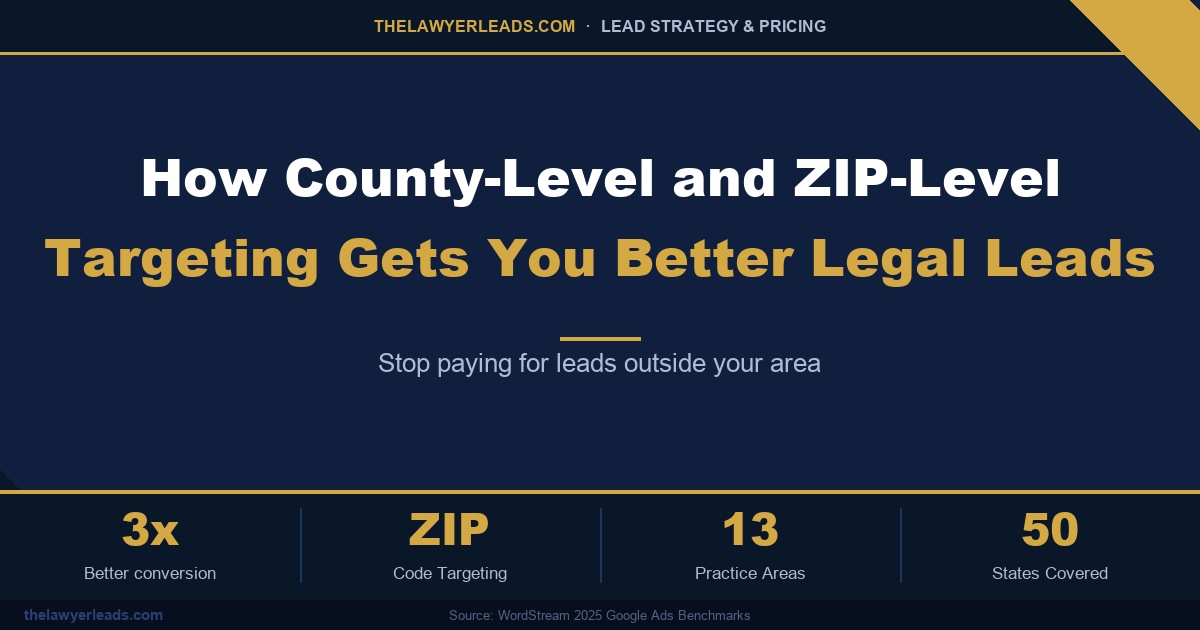
Every legal lead you pay for outside your service area is money wasted. County-level and ZIP-level targeting gets you better legal leads because every inquiry comes from someone you can actually meet, represent, and sign — in the courts you already know.

Most attorneys who have bought leads before have a story about it: a promising divorce inquiry that turned out to be three counties away, or a personal injury claimant in a state where the firm isn’t even licensed. Broad, state-wide lead buying looks efficient on paper. In practice it fills your pipeline with contacts you can’t convert. This guide explains why precise geographic targeting matters, and how to use it to lower your real cost per signed client.


Why State-Wide Legal Leads Waste Your Budget

According to WordStream’s 2025 Google Ads benchmarks, the average cost per lead in the legal industry is $131.63, and personal injury leads average $159.17. At those prices, every lead has to count. Yet many lead platforms still sell by state, or even by “region,” so a firm in Austin pays the same for a lead from El Paso — almost 600 miles away — as for one down the street.

Distance hurts conversion in ways that are easy to underestimate:

  • Clients want a local lawyer. People facing a DUI, a custody dispute, or an injury claim want someone who knows their local courthouse and can meet them in person.
  • Travel eats your margin. Hearings in a distant county add hours of unbilled time to every matter.
  • Local competitors respond faster. A prospect who is two hours away will usually sign with the firm around the corner.

The true cost of a lead isn’t its price. It’s the price divided by the chance you’ll sign that client. A cheap lead from the wrong county is still an expensive lead.

How County-Level and ZIP-Level Targeting Works

With ThelawyerLeads, you choose the exact counties or ZIP codes where you want legal leads. Only people who submit an inquiry from inside those boundaries are sent to you. You can set it up tightly around your office, or spread it across several counties where you regularly appear in court.

Targeting Level Best For Typical Result
State-wide Firms with offices across the state High volume, many out-of-area leads
County-level Firms tied to specific courthouses Leads in the courts you already practice in
ZIP-level Solo and neighborhood practices, dense metros The tightest match to your office — up to 3x better conversion

Combine Geography With Practice Area

Geography is only half of the filter. ThelawyerLeads covers 13 practice areas across all 50 states, so you can pair your ZIP codes with the exact case types you want — personal injury in one set of counties, family law in another. You can also leave out case types you don’t handle, so you never pay for a lead you would have to turn away.


Setting Up ZIP-Level Targeting for Better Legal Leads

To get the most from geographic targeting, start with where your clients already come from, then grow outward:

  • Look at your signed cases. Pull the ZIP codes of your last 20–30 retained clients. That is your core area.
  • Add the counties you practice in. Include every county where you’re comfortable appearing in court.
  • Test, then widen. Start tight, track how many leads you sign, and add nearby ZIP codes only once your core area is performing.
  • Check state pricing. Lead prices vary by state and practice area, so compare before you commit budget.

▶ Key Insight

Fewer, closer leads usually beat more, scattered ones. Because ThelawyerLeads has no long-term contracts, you can adjust your ZIP codes and counties at any time as you learn which areas sign best.

Why Attorneys Choose ThelawyerLeads

Many large lead platforms lock attorneys into annual contracts and share each lead with several competing firms. ThelawyerLeads takes a different approach: transparent state-specific pricing, exclusive lead options, county and ZIP filters, and no long-term commitment. You pay for the leads you want, in the places you want them — nothing more.

How County-Level and ZIP-Level Targeting Gets You Better Legal Leads — Summary

  1. Out-of-area leads cost money — at $131.63 average legal CPL, every lead you can’t serve hurts your ROI.
  2. Local clients convert better — people want a lawyer who knows their local courthouse.
  3. ZIP and county filters — send leads only from the areas you actually serve.
  4. Pair geography with practice area — 13 practice areas across all 50 states.
  5. Stay flexible — no contracts, so you can refine your targeting at any time.

Stop paying for leads outside your area. With county-level and ZIP-level targeting, your budget goes to the prospects most likely to become signed clients — right where you practice.

Source: WordStream 2025 Google Ads Benchmarks.

See Lead Pricing for Your State

We offer transparent, state-specific lead pricing across all major practice areas — with no contracts, no recycled contacts, and full exclusivity options.

View Lead Pricing →

Law Firm Review Generation: The SEO and Conversion Strategy Most Firms Get Backwards

Law Firm Review Generation: The SEO and Conversion Strategy Most Firms Get Backwards

A managing partner at a six-attorney PI firm couldn’t understand why a competitor with a weaker trial record kept outranking her in the Google Map Pack and out-converting her on every consultation call. The answer wasn’t ad spend or a slicker website. It was 140 more Google reviews, collected on purpose, month after month, while her firm waited for happy clients to volunteer one.

Most law firms treat reviews as an afterthought — something the office manager remembers to ask about once a quarter, if at all. But a deliberate law firm review generation strategy has quietly become one of the highest-leverage, lowest-cost levers in legal marketing. Reviews now sit at the intersection of two things every firm needs: local SEO visibility and the trust that turns a phone call into a signed retainer. Firms that systematize this outperform firms that don’t, even when the underlying legal work is identical.


Why a Review Generation Strategy Is Now an SEO Requirement

Google’s local ranking algorithm weighs review count, review recency, and review quality alongside the traditional signals of proximity and relevance. A firm that hasn’t earned a new review in eight months sends a quiet signal that it isn’t actively practicing, isn’t actively trusted, or both. Meanwhile, a competitor generating five to ten fresh reviews a month tells Google — and every prospective client scrolling the Map Pack — that real people are choosing this firm right now.

This is why review generation belongs in the same strategic conversation as your client pipeline and intake process, not filed under “nice to have.” A firm without a repeatable system is relying on luck. A firm with one is compounding an asset every single month.

Firms in the top three Map Pack positions for competitive legal keywords average significantly more total reviews — and a faster review velocity — than firms ranked below them. Velocity, not just volume, is what Google and prospective clients both notice.

Building a Review Generation Strategy That Runs Without You

The firms winning this game aren’t asking harder — they’re asking at the right moment, through the right channel, with the right script. Three elements make the difference:

1. Timing the ask to the emotional peak

The best moment to request a review is not the day the case closes — it’s the moment the client feels relief: a settlement check clears, a charge gets dismissed, a green card arrives. Build the ask into your case-closing workflow so it happens automatically, not when someone remembers.

2. Removing every point of friction

A text message with a direct Google review link converts far better than an email buried in an inbox. Clients who have to search for your firm, find the right listing, and then figure out how to leave a review will simply not finish the task. Shorten the path to two taps.

3. Assigning ownership, not hoping

Review generation that depends on attorneys remembering to ask will always underperform. Assign it to intake staff or a paralegal as a tracked task tied to case closure, with a simple weekly count reported to the partner. What gets measured gets done.

Metric Ad Hoc Asking Systematic Review Generation
New reviews per month 0–2 8–15+
Response window Weeks, if at all Same day
Map Pack trend Flat or declining Steadily climbing
Ownership Nobody, informally “everyone” Named staff member, tracked weekly

Handling Negative Reviews Without Losing Rankings or Reputation

A robust review generation strategy also means you’ll occasionally absorb a one-star review from a disgruntled former client or opposing party. Don’t panic and don’t argue publicly. Respond within 24–48 hours, acknowledge the concern in general terms without discussing case specifics or violating client confidentiality, and offer to continue the conversation offline. A calm, professional response — visible to every future prospect reading that review — often does more for your credibility than the negative review does damage.

Key Insight

A steady flow of new five-star reviews dilutes the visibility of any single negative one mathematically and psychologically — prospects read the last five reviews far more often than they read all of them. Volume and velocity are your best defense against the occasional bad review.

Turning Reviews Into a Client Acquisition Asset

Once the system is running, put the reviews to work beyond your Google Business Profile. Pull your strongest, most specific testimonials — the ones that mention outcomes, communication, and how a client felt during a stressful time — into your website’s practice area pages, your intake follow-up sequence, and your paid ad creative. A five-star aggregate score next to your firm’s name in a Google Ad listing measurably improves click-through rate, which lowers your cost per acquisition on every dollar you spend.

This is the compounding effect a real growth partner builds toward: reviews feed your local SEO, local SEO feeds your inbound call volume, and strong social proof at every touchpoint feeds your intake conversion rate. None of it requires a bigger ad budget — it requires a system that runs whether or not anyone remembers to ask.

Building Your Review Generation Strategy: The Fast Version

  1. Automate the ask — trigger a text request at the emotional high point of case resolution, every time.
  2. Remove friction — send a direct, one-click link to your Google review page, not a search instruction.
  3. Assign ownership — one staff member tracks and reports review count weekly, tied to case closures.
  4. Respond fast to negatives — professional, confidential, offline follow-up within 48 hours.
  5. Redeploy your best reviews — into your website, ads, and intake sequence to lower cost per acquisition.

Reviews Build Trust. We Build the Pipeline Around It.

TheLawyerLeads.com pairs your firm’s reputation with exclusive, real-time, practice-area-filtered client opportunities — so every review you earn works alongside a growing pipeline, not instead of one.

Browse Practice Areas

Law Firm Website Conversion Rate Optimization: Turning More Visitors Into Signed Clients

Law Firm Website Conversion Rate Optimization: Turning More Visitors Into Signed Clients

A managing partner at a mid-size PI firm doubles her Google Ads budget for the third quarter in a row. Traffic climbs. Phone calls barely move. The website is getting more visitors than ever — it’s just not turning them into signed clients.

This is one of the most common — and most expensive — blind spots in law firm marketing. Firms chase law firm website conversion rate optimization as an afterthought, if they think about it at all, while pouring the bulk of their budget into driving more clicks to a site that was never built to close. The math is brutal: if your site converts visitors into leads at 1% instead of 4%, you need four times the ad spend to hit the same number of signed cases. No amount of SEO or PPC volume fixes a conversion problem — it just makes the problem more expensive.

The good news is that conversion rate optimization (CRO) for a law firm website is not a redesign project. It’s a set of specific, measurable changes to how a visitor experiences your site in the first 15 seconds, and how easy you make it for them to take the next step. Firms that treat CRO as an ongoing discipline — not a one-time fix — consistently pull more signed cases out of the same traffic, the same ad budget, and the same practice areas.


Why Law Firm Website Conversion Rate Optimization Gets Ignored

Most firms measure marketing success by traffic, rankings, and cost per click — metrics that are easy to see in a dashboard. Conversion rate requires actually watching what happens after someone lands on the page, which means tracking phone calls, form fills, and live chat starts against total visitors. It’s a harder number to get right, so it’s the number most firms skip.

That gap matters because a prospective client deciding between three or four law firm websites in a single browsing session is not evaluating your firm’s credentials in depth. They are scanning for trust signals, checking how fast they can reach a human, and moving on within seconds if the page feels generic, slow, or confusing. Website conversion optimization for attorneys is really about removing every point of friction between “I have a legal problem” and “I just contacted this firm.”

Industry benchmarks put the average law firm website conversion rate between 2% and 5%. Firms with optimized intake pages, clear calls to action, and fast-loading mobile experiences routinely see 8–12% — without spending a dollar more on traffic.

The Five Levers That Actually Move Conversion Rate

1. Above-the-fold clarity

A visitor should know within three seconds what practice area they’re on, what makes your firm different, and how to contact you — without scrolling. Vague headlines like “Experienced Attorneys You Can Trust” say nothing a competitor’s site doesn’t also say. Specific headlines built around outcomes and practice area language perform better and reinforce the keyword relevance search engines reward.

2. Contact friction

Every extra form field costs conversions. A consultation request form that asks for name, phone, and a one-line case description converts meaningfully better than one asking for full case history, referral source, and mailing address. Save the detailed intake for the phone call or the retained-client stage, not the first touch.

3. Mobile load speed

A majority of legal searches now happen on mobile, often from someone dealing with an urgent situation — an accident, an arrest, a served notice. A site that takes more than three seconds to load loses a significant share of that traffic before the page even renders. Compressed images, minimal plugins, and a lean homepage template matter more than most firms realize.

4. Trust signals placed where decisions happen

Case results, bar admissions, and client testimonials only help conversion if they sit near the call-to-action — not buried on a separate “About” page three clicks deep. Place a short proof point directly next to the contact form or click-to-call button, where the visitor is actually making the decision to reach out.

5. Multiple, low-commitment contact paths

Not every visitor wants to fill out a form, and not every visitor wants to call. Live chat, click-to-text, and a short consultation form covering the same ground in parallel capture visitors who would otherwise bounce because their preferred contact method wasn’t offered.

Key Insight

A firm that improves conversion rate from 3% to 6% doesn’t need to double its marketing budget to double its signed cases — it needs to fix its website. That’s the single highest-leverage change most firms haven’t made.

Traffic Volume vs. Conversion: Where the ROI Actually Lives

The comparison below shows why chasing more clicks without fixing conversion is the more expensive path to the same number of signed cases.

Metric Traditional Approach (More Traffic Only) With Conversion-Optimized Intake
Monthly visitors 4,000 4,000 (unchanged)
Conversion rate 2% 7%
Leads generated 80 280
Ad spend required for same lead count 3.5x higher No increase needed

Fixing the Website Only Gets You Halfway

Even a perfectly optimized site can’t outrun a fundamental supply problem: organic and paid traffic alone often isn’t enough volume for firms trying to grow a specific practice area quickly. That’s where a conversion-optimized website and a filtered, exclusive client pipeline work together rather than as substitutes for each other. The website converts the traffic you already have at a higher rate; a growth partner like TheLawyerLeads.com fills the volume gap with prospects who are already actively seeking representation in your practice area and geography, so your improved intake process has more qualified opportunity to work with from day one.

CRO Checklist For Law Firm Sites

  1. Clarify the above-the-fold message — practice area, differentiator, and contact option visible without scrolling.
  2. Shorten the intake form — ask only what you need to make first contact, not the full case file.
  3. Cut mobile load time — compress images and remove unused plugins to keep pages under three seconds.
  4. Move trust signals next to the CTA — case results and reviews belong where the decision happens.
  5. Offer multiple contact paths — call, text, chat, and form, side by side.
  6. Pair CRO with a reliable pipeline — a better-converting site still needs enough qualified traffic to convert.

Your Website Fixes the Rate. We Fix the Volume.

Pair a conversion-optimized site with an exclusive, real-time client pipeline built for your practice area and territory.

Browse Practice Areas

Google Ads for Law Firms: How to Stop Wasting Budget on Clicks That Never Sign

Google Ads for Law Firms: How to Stop Wasting Budget on Clicks That Never Sign

A three-attorney family law firm in Phoenix was spending $9,000 a month on Google Ads. The dashboard looked healthy — plenty of clicks, a respectable click-through rate. But when the managing partner pulled the intake log, fewer than one in five calls came from someone who actually needed a divorce lawyer in Maricopa County. The rest were job seekers, out-of-state callers, and people looking for free forms.

That story is common. Google Ads for law firms can be one of the fastest ways to put your practice in front of people with urgent legal needs — but legal keywords are among the most expensive on the platform, with many personal injury and mass tort terms running $100 to $300+ per click in competitive metros. At those prices, a poorly structured account doesn’t just underperform; it quietly drains the budget you could be using to grow. This guide covers where law firm ad spend typically leaks and how to plug each hole.


Why Google Ads for Law Firms Wastes So Much Budget

Most wasted legal ad spend comes from three sources: broad match keywords without guardrails, loose geographic targeting, and landing pages that don’t convert. Google’s automation is built to spend your budget, not to understand that “lawyer salary” and “lawyer near me” signal completely different intent.

Broad match has become more aggressive over the past few years. A keyword like “car accident lawyer” can trigger your ad for “car accident lawyer jobs,” “car accident report online,” or even “how to handle a car accident without a lawyer.” Each of those clicks costs the same as a genuine prospect — and none of them will ever sign a retainer.

Quick audit: Open your Search Terms report for the last 90 days and sort by cost. In most law firm accounts we review, 25–40% of spend goes to search terms that could never produce a client.


Build a Negative Keyword Wall

Negative keywords are the single highest-ROI fix in most legal accounts. Build a shared negative list and apply it across every campaign. Start with these families:

  • Employment intent: jobs, salary, hiring, careers, paralegal, internship, school
  • DIY intent: free, forms, template, pro bono, legal aid, self-help, without a lawyer
  • Research intent: definition, statute, wiki, reddit, course, exam
  • Wrong practice area: if you only handle plaintiff PI, exclude “defense,” “insurance adjuster,” and “criminal”

Then review the Search Terms report weekly for the first 60 days and monthly after that. New waste patterns appear constantly, especially when you use broad match with Smart Bidding.


Fix Geo-Targeting and Ad Scheduling

By default, Google targets people “in or regularly in, or who’ve shown interest in” your location. For a law firm licensed in one state, that setting lets someone in Ohio researching Texas divorce law trigger your ads. Change the location option to “Presence: people in or regularly in your targeted locations.”

Next, match your ad schedule to your intake capacity. If nobody answers the phone after 7 p.m., either staff a live answering service or reduce bids overnight. A missed call on a $150 click is the most expensive kind of waste.

Setting Default / Common Setup Optimized for Law Firms
Location option Presence or interest Presence only
Match types Broad match, no negatives Phrase/exact + shared negative list
Ad schedule 24/7 at equal bids Bids aligned to intake hours
Conversion goal Any call or form fill Calls 60s+ and qualified consults
Search partners Enabled Off until proven profitable

Track Signed Cases, Not Clicks, in Google Ads for Law Firms

Smart Bidding is only as smart as the signal you feed it. If every 10-second call counts as a conversion, Google will happily find you more 10-second calls. Set your primary conversion to calls lasting 60 seconds or longer and form submissions that pass basic qualification.

The next level is offline conversion imports: when a prospect signs, push that outcome from your CRM or intake software back into Google Ads with the click ID (GCLID). The algorithm then learns which searches produce retained clients rather than just inquiries — a meaningful shift for firms spending $5,000+ per month.

Key Insight

Your true metric is cost per signed case, not cost per click or cost per lead. A campaign at $250 per inquiry that signs one in three beats a campaign at $90 per inquiry that signs one in fifteen.


Diversify Your Client Acquisition Mix

Even a perfectly tuned account has a ceiling: auction prices rise, competitors enter, and Google’s policies shift. Firms with the steadiest growth treat paid search as one channel in a portfolio — alongside local SEO, referrals, and exclusive, pre-filtered client inquiries matched to their practice area and geography. That mix protects your pipeline when cost per click spikes and gives you a benchmark to judge whether ad spend is earning its keep.

Your Google Ads Waste-Reduction Checklist

  1. Audit search terms — sort 90 days by cost and flag irrelevant queries.
  2. Build a shared negative list — block job, DIY, research, and wrong-practice intent.
  3. Switch to presence-only targeting — stop paying for out-of-state researchers.
  4. Align bids with intake hours — never pay for a call nobody answers.
  5. Optimize for signed cases — use 60s+ calls and offline conversion imports.
  6. Diversify channels — benchmark paid search against other acquisition sources.

Stop Paying for Clicks That Never Become Clients

Add exclusive, real-time client inquiries filtered to your practice area and location — a predictable pipeline that complements your paid search.

Browse Practice Areas

ThelawyerLeads vs Martindale-Hubbell: Which Gets You Better ROI?

ThelawyerLeads vs Martindale-Hubbell: Which Gets You Better ROI?

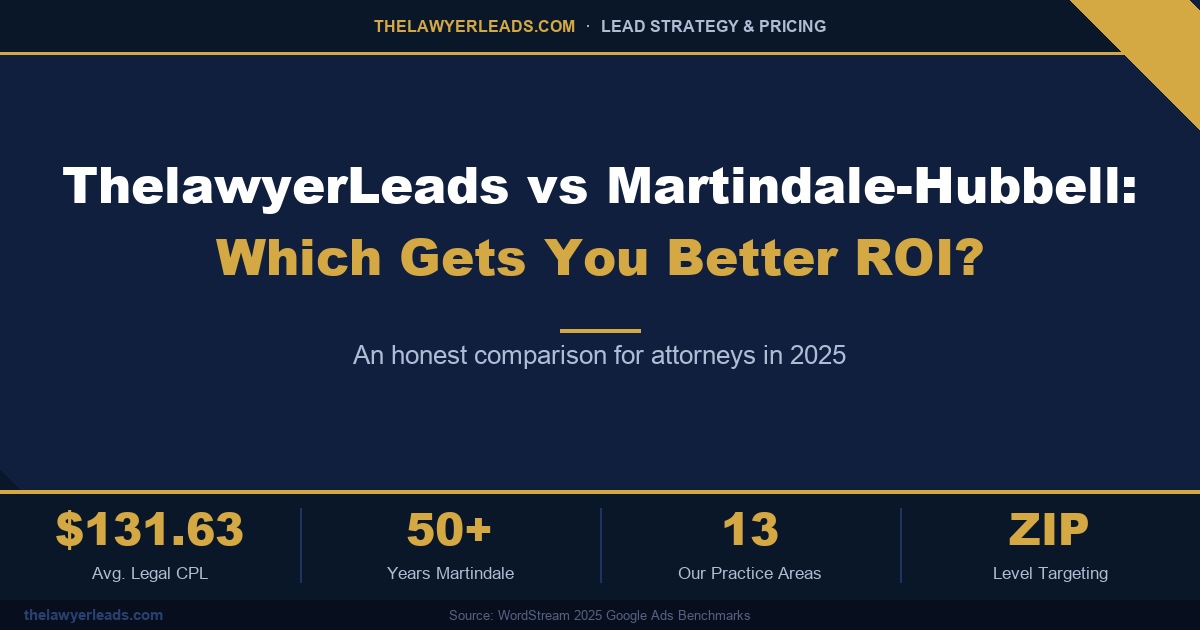
Martindale-Hubbell built its reputation over five decades as the directory attorneys trusted for referrals and peer ratings. But directory presence and lead generation are not the same thing — and for attorneys trying to fill their intake calendar in 2025, that difference matters more than ever.

If you’re an attorney comparing legal lead generation options, you’ve almost certainly come across Martindale-Hubbell. It’s a household name in the legal industry, and its peer-review ratings carry real prestige. But prestige doesn’t always translate into a full pipeline of qualified, ready-to-hire clients. This post breaks down how ThelawyerLeads and Martindale-Hubbell actually compare on the things that matter most to your bottom line: lead quality, targeting precision, cost, and contract flexibility.

What Martindale-Hubbell Actually Offers

Martindale-Hubbell’s core strength is its legacy: over 50 years as a legal directory and peer-review rating system. Attorneys list their profiles, collect peer ratings, and hope prospective clients find them through search or referral. It’s a credibility play more than a demand-generation engine — the platform was built for reputation management long before “lead generation” was a marketing category.

The tradeoff is that Martindale-Hubbell’s model relies heavily on broad directory traffic rather than precision targeting. Attorneys are grouped by practice area and general location, but there’s limited ability to filter prospective clients by county or ZIP code, and lead exclusivity isn’t a given — profiles compete for the same visitor’s attention on the same page.

Head-to-Head: ThelawyerLeads vs Martindale-Hubbell

Factor Martindale-Hubbell ThelawyerLeads
Model Directory listing + peer ratings Direct-to-attorney lead delivery
Geographic targeting General location only County and ZIP-level precision
Practice areas covered All fields, broadly 13 focused legal practice areas
Lead exclusivity Shared directory traffic Exclusivity options available
Contract terms Annual directory subscriptions No long-term contracts
Avg. cost per lead (legal) Bundled into subscription pricing $131.63 industry average

Martindale-Hubbell sells you visibility. ThelawyerLeads sells you a prospective client who has already indicated they need an attorney in your practice area and your service area — right now.

Why Targeting Precision Drives ROI

The average legal cost-per-lead sits at $131.63 across the industry, according to WordStream’s 2025 Google Ads benchmarks. That number is an average — attorneys who pay for broad, untargeted exposure (like a general directory listing) often end up with a worse effective cost-per-case, because a large share of the traffic they’re paying for falls outside their actual service radius or isn’t ready to hire.

ThelawyerLeads addresses this with county and ZIP-level targeting across 13 practice areas, so the leads reaching your intake team are already filtered by geography and case type before they ever hit your phone or inbox. That’s the structural difference between a directory model built for brand visibility and a lead-generation model built to convert.

What This Means for Your Intake Team

  • Fewer out-of-area calls that waste staff time and never convert
  • Leads pre-filtered by the specific practice area you handle
  • State-specific pricing instead of a flat national subscription rate
  • No annual contract locking you into a channel that isn’t performing

▶ Key Insight

A 50-year legacy builds trust with peers — it doesn’t guarantee a prospective client is on your website today. Lead quality depends on real-time intent and precise geographic match, not directory tenure.

Which One Fits Your Firm?

Martindale-Hubbell still has a place for attorneys who want peer-review credibility and long-term brand presence in a legacy directory. But if your priority is filling your calendar with prospective clients who match your practice area and service area right now, a targeted lead-generation model is built for that job in a way a directory listing simply isn’t.

That’s the gap ThelawyerLeads was built to close — county and ZIP-level targeting, 13 dedicated practice areas, exclusivity options, and no long-term contract forcing you to keep paying for underperforming traffic.


ThelawyerLeads vs Martindale-Hubbell — Summary

  1. Different models — Martindale-Hubbell is a directory and reputation platform; ThelawyerLeads is direct lead delivery.
  2. Targeting precision wins — county and ZIP-level filtering beats general location listings for conversion.
  3. Flexibility matters — no long-term contracts means you can allocate budget to what’s actually working.
  4. Exclusivity is available — unlike shared directory traffic, exclusive leads reduce competition for the same prospective client.

See Lead Pricing for Your State

We offer transparent, state-specific lead pricing across all major practice areas — with no contracts, no recycled contacts, and full exclusivity options.

View Lead Pricing →